
The Role of Market Research in Product Development: From Concept to Launch
In a competitive modern business environment, the success of new products depends on a deep understanding of market needs, customer preferences and competitor behavior.
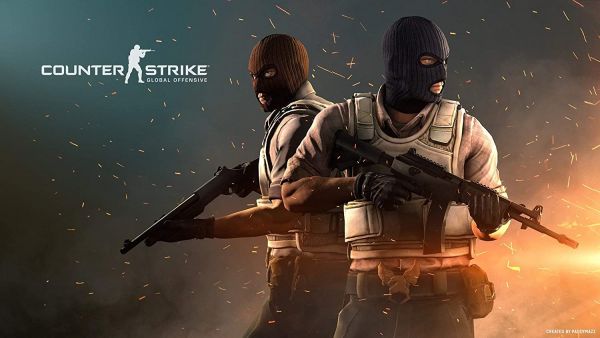
Cases are just that: cases. Some players refer to them as treasures, packages, or boxes, but they are actually just cases. The moment you open a case, you'll receive a skin that changes the look of your weapon when opened. They can also contain gloves, knives, or other objects. When you open one, you're getting one skin. It's just like winning a lottery because there is no way to tell which skin you'll get.
Types of CS2 cases
Black
Black cases have skins designed by Valve. As much as it might seem like all skins would be created by Valve, this is not always the case.
This CS:GO esports case provides gaming skins that have been designed by Valve. However, a portion of the revenue will be donated to the CS:GO esports gaming community, so you are helping the gaming community by purchasing this case.
This is the case for skins created by the community. There is a revenue generated from the sale of these skins that goes to the skin authors.
How to get CS2 cases?
Weekly rewards
Each week, when you gain an XP point, you get to choose 2 cases from the 4. In the same week, if you earn another XP point, you get the other 2 cases. In those cases, you're likely to get only low-tier skins.
The probability of gaining a case that gives you a highly valued skill is low regardless of how much you play.
Getting the case doesn't mean you can open it right away. There's another digital resource you'll need - a key.
There's also the option of buying cases. It's nice because you can pick the exact case you want. All of us would prefer a case that has a higher chance of getting rare skins. The prices of those cases are also high.
The procedure to purchase the cases is easy.
Step 1: Open CS2.
Step 2: Go to the store section on top of the screen.
Step 3: Navigate to the market section after that.
Once you're in that tab, you can go through a bunch of cases and choose the one that's probably going to work for you.
You might want to check out third-party marketplaces if you're willing to shell out money for cases. These marketplaces have several advantages, including a low level of fees and often lower prices, which make it a wise decision to use them. You might get lucky if you browse through a bunch of these marketplaces and find some rare cases. You can also get different bonuses and promotions on these sites, like CS2 case battle, where you can get a chance to double, triple, or even quadruple your skins.
Some people don't want to spend money on CS2 cases. Play CS2, and you might get a free drop after the match if you're one of them.
There are a lot of Twitch streams of major tournaments where viewers can get free drops. It's not common for viewers to get a rare skin out of these cases, but it's worth trying.
For opening CS2 cases, you essentially need 2 things:
1. The case (of course, Duh!)
2. A key
Every case is different, so the same key won't work. Your case type will determine what key you need.
How to open CS2 cases?
It's pretty easy to open CS2 cases, but you have a few options.
Opening the case is super easy.
Start by clicking on the inventory icon on the home screen of CS2 and selecting the case you want to open.
Next, click the unlock button, and if you've got the right key, it'll open.
When you open it, you'll get an animation like roulette, and you'll get a skin at the end.
That's it! With the right case and key, you can get a skin in under a minute.
Valve releases cases consistently since 2013. But some third-party websites have also developed unique cases with skins that aren't on the regular cases. These websites have a much higher proportion of cases with rare skins than the ones with regular skins.
If you would like to open one of these cases, you will need to make a deposit and open the case that is required.
As a matter of fact, if you choose a trusted third-party site for the purpose of opening your case online, then you are more likely to receive a rare skin. Using such a third-party site for getting rare skins is easy.
Step 1:Select the right third-party case opening site.
Step 2:Create your account and deposit the funds.
Step 3:Select the right case from the options available.
Step 4:Click on the open case button, and you will get a skin.
Step 5:Follow the steps to transfer highlighted by the website the skin to Steam inventory.
By providing skins that enhance weapon appearance, CS2 cases can make the game more exciting. The trick is to learn more about the cases if you wanna get these skins.
In a competitive modern business environment, the success of new products depends on a deep understanding of market needs, customer preferences and competitor behavior.

The Legend of Zelda video game series dates back to the 1980s and, over and over again, has proven itself to be one of the most innovative gaming titles ever. The game has reinvented itself to adapt to new

While iconic games like roulette and slots remain casino staples, the industry is far from stagnant. Developers are constantly pushing boundaries, incorporating new technologies and features to keep players on the edge of their seats.